
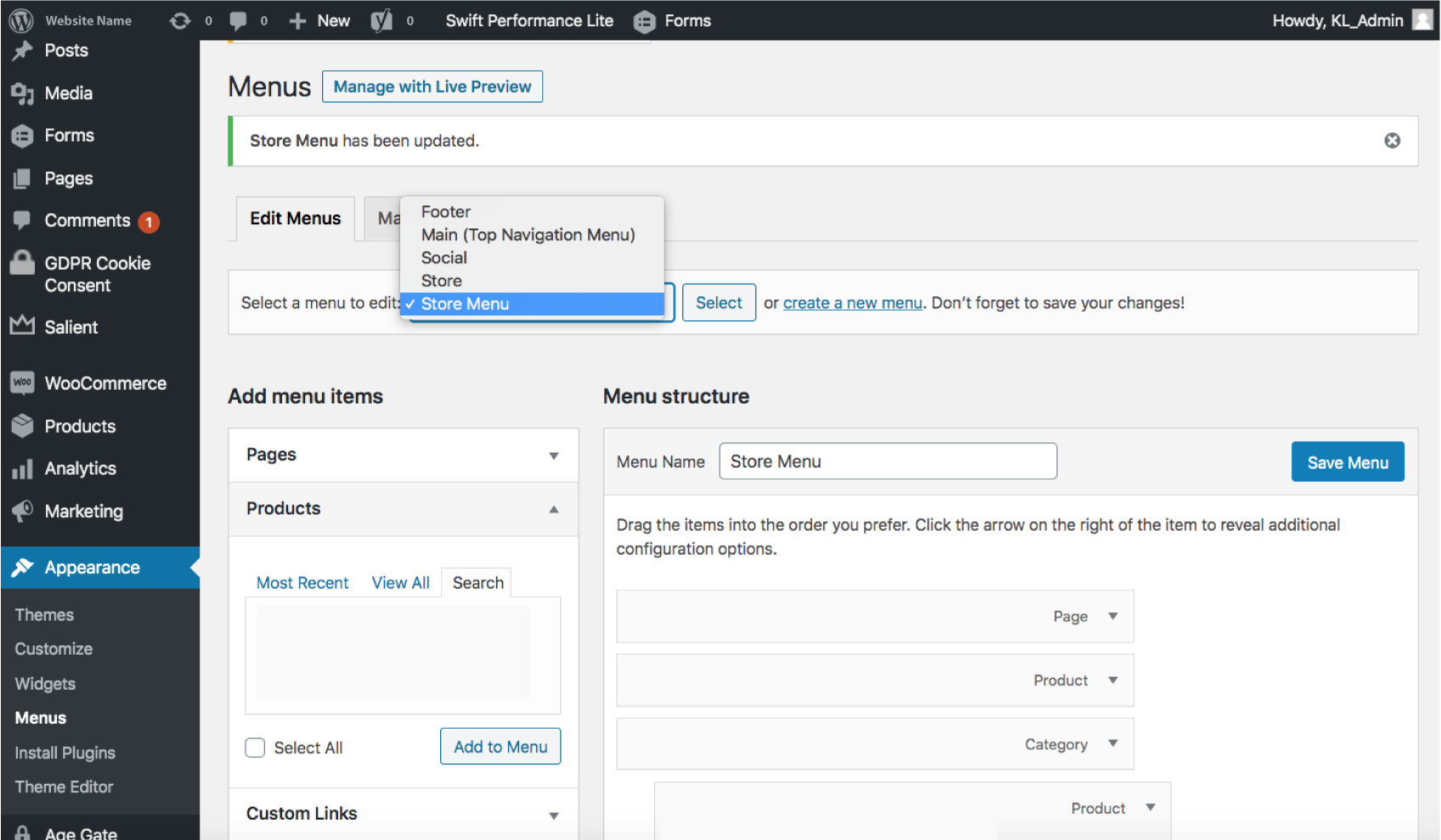
1. Select Appearance and Menu on the side menu
2. Select the Store Menu under edit menus
3. Select Products under add menu items
1. Select Appearance and Menu on the side menu
2. Select the Store Menu under edit menus
3. Select Products under add menu items

4. Select the Product that you want to add to the store menu
5. Select Add To Menu
6. Drag the product item into the order you prefer/ sub item
7. Make sure to select Save Menu
4. Select the Product that you want to add to the store menu
5. Select Add To Menu
6. Drag the Product Item into the order you prefer/sub item
7. Make sure to select Save Menu
* Make sure the product is placed under the main page or the main category as a sub-item.