
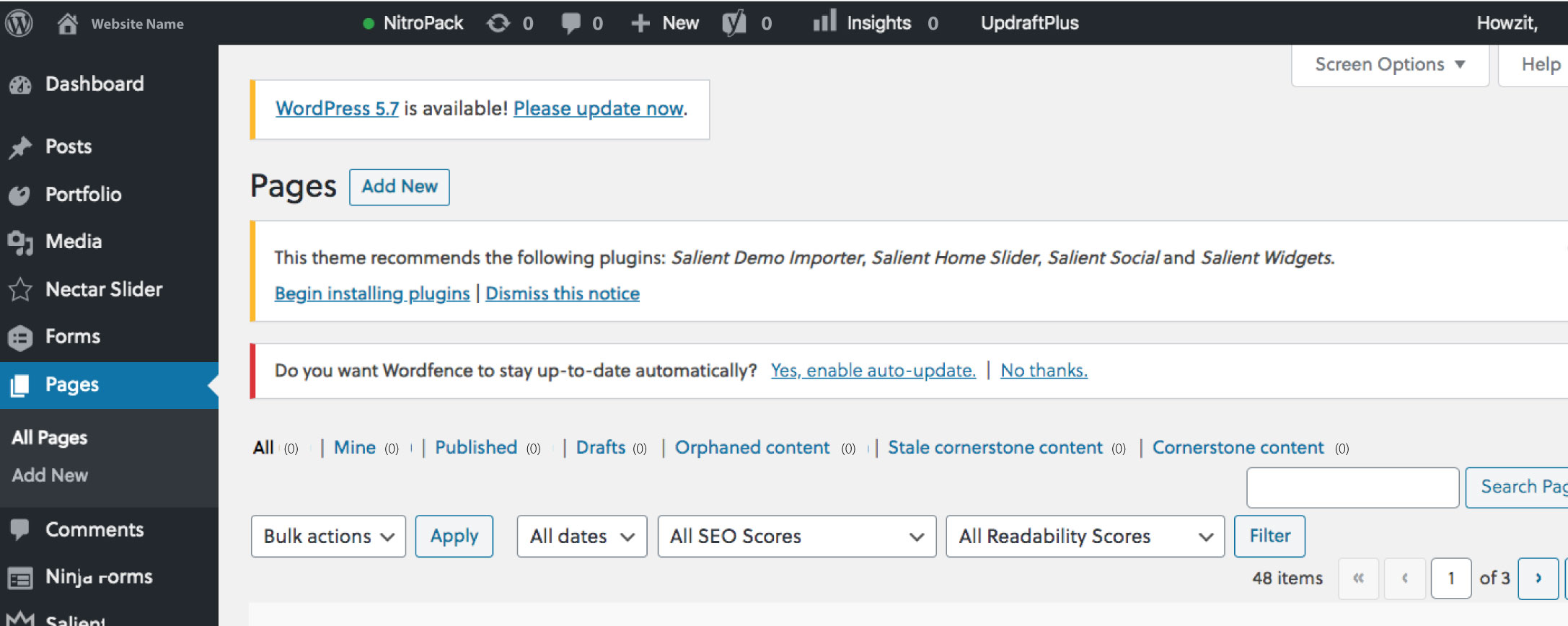
1. Navigate to the Post / Page you want to edit
1. Navigate to the Page / Post you want to edit
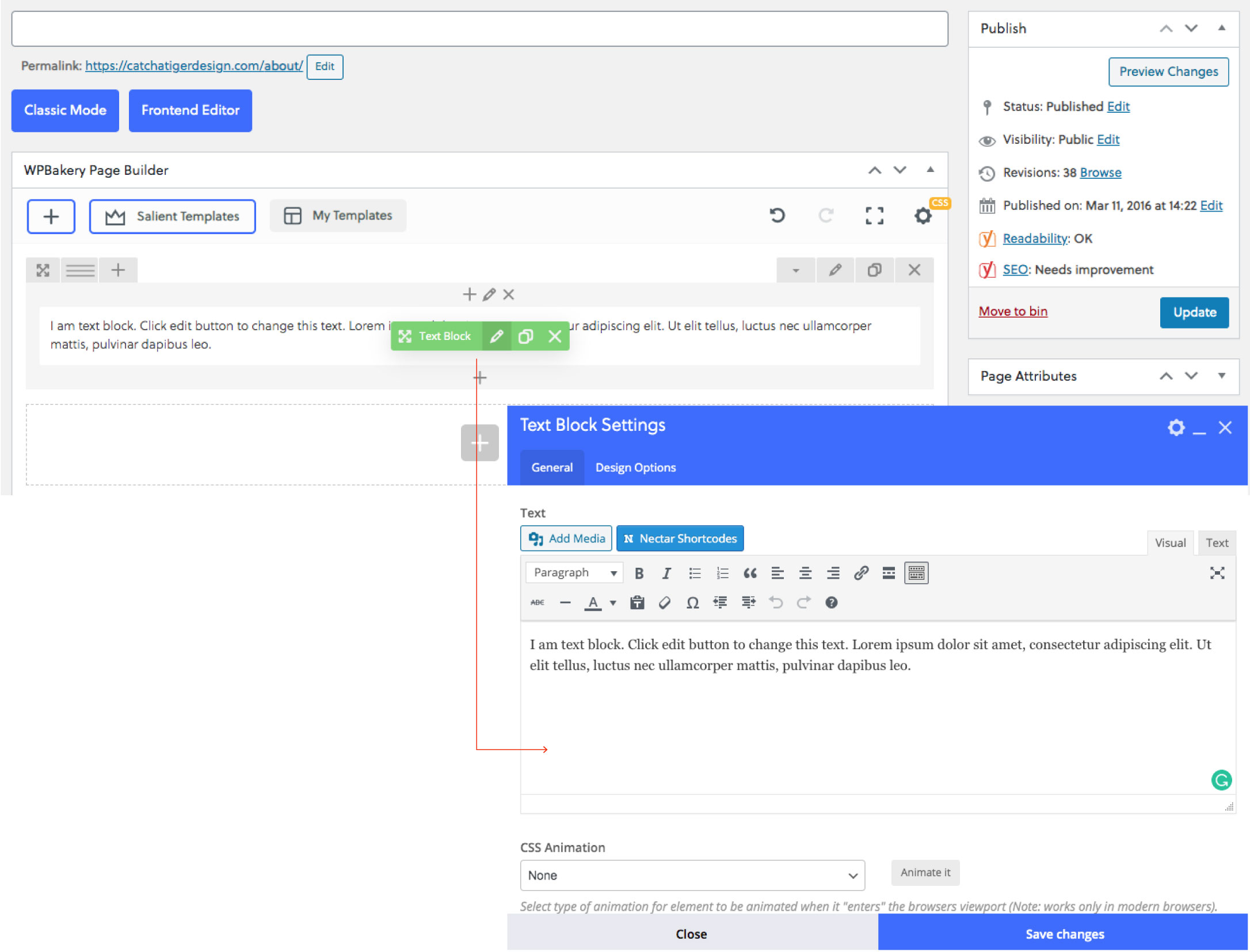
2. Hover over content & click the Pencil Icon to edit
3. Copy in the Suitable Text
4. Apply correct text styling under Text Block Settings
5. Select Save Changes
6. Update Page / Post
2. Hover over content & click the Pencil Icon to edit
3. Copy in the Suitable Text
4. Apply correct text styling under Text Block Settings
5. Select Save Changes
6. Update Page / Post
*Always update the page after completing the above steps to make sure that the changes show on the front end of your site.